
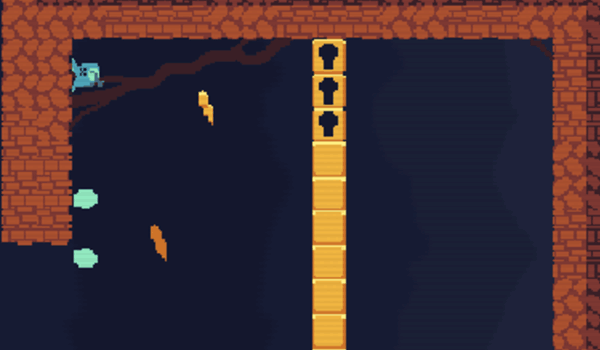
Setting up email notifications for the Topo Mole game topo mole in the United Kingdom can really improve your experience. It keeps you informed on events and game changes that are important to you. By customizing your preferences, you ensure you won’t miss exciting news or community interactions. Interested about how to get started with this easy setup? Let’s look into the procedures that can help you stay connected and aware.
Why You Should Use Email Notifications for Topo Mole
If you’re looking to improve your gameplay journey in Topo Mole, using email notifications is a revolutionary. These alerts keep you informed about important updates, happenings, and game progress, making sure you never miss a moment.
By opting into email engagement, you can receive personalized information suited to your preferences, boosting your enthusiasm for the game.
Additionally, regular interaction via emails builds a solid connection with the game community, making you feel more invested in your experience. This customized method not only keeps you interested but also enhances user loyalty, as you’ll be more likely to come back to the game when you feel connected.
Creating Your Topo Mole Account
To start engaging with Topo Mole, you’ll first need to create your profile.
This process is simple and guarantees your security preferences are customized to your liking.
Let’s go over the signup steps so you can dive into the game hassle-free!
Account Registration Process
Setting up your Topo Mole profile only takes a few minutes and unlocks a world of enjoyment and adventures.
Follow these easy instructions to get going:
- Visit the Registration Page
- Fill Out Your Details
Once confirmed, you’re ready to plunge into the exciting world of Topo Mole! Savor the tasks ahead!
Privacy Settings Configuration
After you’ve confirmed your Topo Mole account, you’ll want to spend some time to configure your privacy settings. This step is essential for ensuring that your gaming experience matches your personal comfort levels.
Start by examining the privacy policy, which describes how your data is handled. You can adjust user permissions to manage who sees your engagement, profile, and gameplay information.
Consider modifying these settings based on what you’re comfortable disclosing with friends and other players. By managing of your privacy, you can enjoy the game more without the worry of undesired exposure.
Don’t forget to review these settings from time to time, as they might need updates to match any changes in your preferences.
Navigating to Notification Settings
Accessing the notification settings for the Topo Mole game is a easy process that can be accomplished in just a few clicks.
You’re just a few steps away from customizing your notification options. Follow this straightforward settings navigation guide:
- Open the Topo Mole app and sign in your account.
- Access the main menu and select “Settings.”
- Look for the “Notifications” section, where you can find multiple options.
- Click on it to explore available notification options, such as email alerts or in-game messages.
Choosing Your Notification Preferences
Now that you’re in the notification settings, it’s time to pick your preferences.
You can customize the kinds of notifications you receive, how regularly you get them, and arrange it all quickly.
Let’s examine how to adjust your alerts to keep you in the loop without flooding your inbox!
Notification Types Available
In the vibrant world of the Topo Mole game, staying connected is key to improving your experience.
With multiple notification types available, you can pick exactly how you want to be informed. Here are some alternatives to consider:
- Email Alerts – get important updates straight to your inbox.
- In-Game Notifications – Obtain real-time alerts while you play.
- Mobile Push Notifications – Stay notified on the go through your smartphone.
- Social Media Updates – Stay updated with announcements through your favorite platforms.
With these various notification channels and notification personalization options, you’re able to adjust your experience to suit your preferences.
Pick carefully to keep your Topo Mole journey engaging and thrilling!
Frequency of Alerts
While you plunge into the captivating world of Topo Mole, choosing the right frequency for your notifications can make a big difference in your gaming experience.
You’ll want to consider your alert frequency thoughtfully so you’re not overwhelmed or overlooking important updates. Whether you favor real-time alerts or a daily summary, finding the right balance is essential.
Timely notifications can improve your gameplay, helping you to stay engaged and competitive. Too many notifications can result in frustration, while too few might keep you uninformed about in-game events and opportunities.
Consider how regularly you want to obtain updates and adjust your settings accordingly to enhance your enjoyment. Your ideal notification timing will smooth your gaming sessions perfectly.
Setting Preferences Easily
As you delve deeper into Topo Mole, customizing your notification preferences becomes crucial for a superior gaming experience.
Tailoring these options can greatly enhance user engagement and eventually boost user satisfaction.
https://www.theguardian.com/society/2025/feb/08/gambling-firms-secretly-shared-users-data-with-facebook-without-permission Here’s how to set your preferences easily:
- Email Frequency
- Game Events
- Friend Requests
- Promotions
Confirming Your Email Address
A quick step in setting up your email notifications for the Topo Mole game is confirming your email address.
You’ll need to check your inbox for a message containing a confirmation link. This link is vital for email validation, ensuring that the address you provided is accurate and belongs to you.
If you don’t see it immediately, make sure to check your spam or junk folder—sometimes it hides there!
Once you click the confirmation link, you’ll be all set to receive notifications about the game. This simple action not only protects your account but also helps you stay informed on game events and offers.
Managing Notifications on the Go
If you want to stay in the loop about the Topo Mole game, managing your notifications on the go is vital.
With mobile email, you can keep track of updates at any time, anywhere. Here are some tips to improve your notification management:
- Customize Settings
- Use Filters
Troubleshooting Common Issues
While enjoying the Topo Mole game, you might encounter some usual issues with email notifications that can disrupt your gameplay. Don’t be concerned; you’re not alone!
One of the most typical errors isn’t receiving notifications at all. First, check your spam folder—sometimes they get misdirected there. If that doesn’t help, ensure that your email settings are proper.
Another issue could be delayed notifications, which may occur due to server problems. In this case, patience is key. Think about revitalizing your app or power cycling your device as troubleshooting tips.
If problems persist, you can always contact customer support for more assistance. Keep these tips in mind to guarantee a better gaming experience!
Frequently Asked Questions
Can I Customize the Frequency of Email Notifications?
Yes, you can modify notification preferences in your email settings. Just adjust the frequency to fit your needs, ensuring you stay aware while preventing overload. Make your experience satisfying and customized just for you!
What Types of Notifications Are Available for Topo Mole?
You’ll receive notifications about game updates, player rewards, and special events in Topo Mole. Keeping informed helps you maximize your gameplay and earn rewards faster, offering you an edge against other players. Enjoy!
Will My Email Address Be Shared With Third Parties?
No, your email address will not be shared with third parties. We value email privacy and data protection, guaranteeing your information remains safe and safe while you play the Topo Mole experience without worry.
How Can I Update My Listed Email for Notifications?
To update your listed email, go to your account settings and find the notification settings update. Follow the email change process by entering your new email and confirming it. Save your changes to finalize everything!
What Can I Do if I Stop Receiving Email Alerts?
If you cease getting email alerts, check your email settings first. Make sure notifications are enabled and check your spam folder. If issues persist, try notification troubleshooting by re-subscribing or contacting support for assistance.